How to Track Your Expenses Automatically in NZ
Stop entering receipts manually. Learn how automatic expense tracking works with NZ banks and what to look for in an expense tracker app.
The short version
- New Zealand has its own open banking platform called Akahu.
- Not all expense trackers are created equal, especially for New Zealanders.
If you've ever tried tracking your expenses in a spreadsheet, you know how it goes. You're diligent for a week, then you miss a day, then the whole thing falls apart. You're not alone, research shows that 85% of people who try manual expense tracking give up within two weeks. (See our take on apps vs spreadsheets.)
The good news? In 2026, you don't need to track expenses manually anymore. Thanks to open banking in New Zealand, apps can pull your transactions directly from your bank account, automatically and securely.
Why manual expense tracking fails
Let's be honest about why spreadsheets and manual entry don't work for most people:
It's tedious. Entering every coffee, every contactless tap, every online purchase takes time. Even five minutes a day adds up to over 30 hours a year of data entry.
You forget transactions. That contactless tap at the dairy? The automatic subscription renewal? By the time you sit down to log expenses, half of them have slipped your mind.
It's never accurate. Manual tracking relies on memory and discipline. Studies show people underestimate their spending by 20-30% when self-reporting. The data you're working from is already wrong.
Falling behind kills motivation. Miss a few days and the backlog feels overwhelming. Most people don't catch up, they just stop.
The fundamental problem isn't willpower. It's friction. Every manual step is a chance for the system to break down.
How automatic expense tracking works in NZ
New Zealand has its own open banking platform called Akahu. It's the secure bridge between your bank and finance apps, think of it like "Sign in with Google" but for your bank account.
Here's how it works in practice:
Step 1: Connect your bank accounts
When you sign up for an expense tracking app like Steady, you'll be asked to connect your bank. The app redirects you to Akahu, which redirects you to your bank's own login page. You log in directly with your bank, the app never sees your password.
The key point: access is read-only. No app connected through Akahu can move your money, make payments, or change anything. They can only read your transactions and balances.
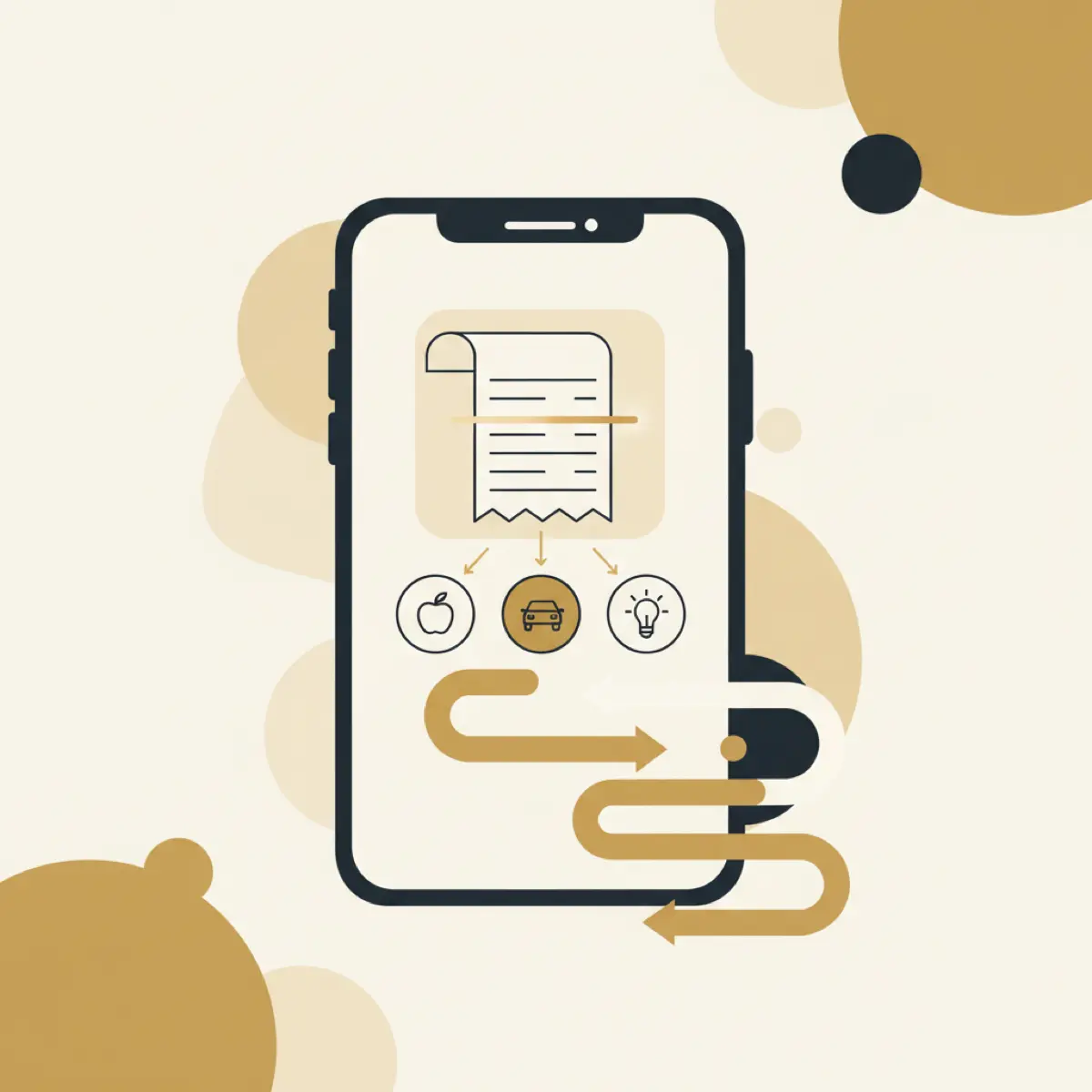
Step 2: Your transactions flow in automatically
Once connected, every transaction appears in the app, usually within a few hours of the purchase. Tap your card at Pak'nSave? It shows up. Pay for petrol at Z Energy? It shows up. Direct debit for your power bill? That too.
No receipts to photograph. No amounts to remember. No manual entry at all.
Step 3: AI categorises everything
This is where modern expense trackers really shine. AI analyses each transaction and sorts it into categories automatically:
- COUNTDOWN RICCARTON → Groceries
- Z ENERGY MOORHOUSE → Transport
- NETFLIX.COM → Entertainment
- SPARK NZ → Utilities
- UBER EATS → Dining out
For NZ-specific merchants, good apps have local knowledge built in. They understand what Pak'nSave, Woolworths, New World, Kiwibank, and hundreds of other NZ merchants are, so categorisation is accurate from day one.
Step 4: You see the full picture
With all your transactions tracked and categorised automatically, you get a clear view of where your money actually goes. No guesswork, no estimation, real data from real spending.
Most people are genuinely surprised when they see their first month of tracked expenses. The "small" purchases, coffees, contactless taps, subscription services, almost always add up to more than expected.
What to look for in an NZ expense tracker
Not all expense trackers are created equal, especially for New Zealanders. Here's what matters:
NZ bank support
The most important feature. If the app can't connect to your bank automatically, you're back to manual entry. Look for apps that support all major NZ banks via Akahu:
- ANZ
- ASB
- BNZ
- Kiwibank
- Westpac
- TSB
- The Co-operative Bank
NZ merchant recognition
The app needs to understand New Zealand merchants. "COUNTDOWN" should be categorised as groceries, not "unknown." "BP 2GO" should be transport. This saves you from manually recategorising dozens of transactions.
Fortnightly pay support
Most Kiwis are paid fortnightly, but many international expense trackers only think in monthly terms. Look for an app that understands fortnightly pay cycles and can show your spending relative to your pay period, not just the calendar month.
Multi-account support
Most New Zealanders have accounts at more than one bank, or at least have a cheque account and a savings account. Your expense tracker should be able to connect multiple accounts and give you a unified view of all your spending.
Privacy and security
Your transaction data is personal information under the NZ Privacy Act 2020. Check that the app:
- Uses bank-grade encryption
- Is transparent about where your data is stored
- Doesn't sell your data to third parties
- Allows you to delete your account and data
Useful insights, not just data
Raw transaction data isn't very helpful on its own. Good expense trackers turn data into insights:
- How your spending this week compares to last week
- Which categories are growing
- Whether subscription prices have increased
- How much you're spending on things you might not need
Setting up automatic expense tracking (step by step)
Here's how to get started with Steady (the process is similar for other Akahu-connected apps):
1. Download the app and create an account. Takes about 2 minutes.
2. Connect your bank accounts. Tap "Add Account" and select your bank. You'll be redirected to Akahu, then to your bank's login. Log in as normal. Grant read-only access and you're connected.
3. Wait for your history to load. The app will pull your recent transaction history, usually the last 60-90 days. This gives you an immediate view of your spending patterns.
4. Review the categories. Check the first batch of categorised transactions. If any are wrong (e.g. a clothing store categorised as "other"), correct them. The AI learns from your corrections and improves over time.
5. Check in weekly. Once set up, the best rhythm is a quick weekly check-in. Open the app on Sunday evening, review your spending for the week, and see how you're tracking against your safe-to-spend amount.
That's it. The entire setup takes less than 5 minutes, and from that point on, every transaction is tracked automatically.
What automatic tracking reveals
After your first month of automatic expense tracking, you'll likely discover:
Subscriptions you forgot about. The average Kiwi has 4-6 active subscriptions. At least one is usually something they haven't used in months. Here's how to audit your subscriptions.
"Small" spending that adds up. Daily coffees at $5.50 each? That's $1,430 a year. Two Uber Eats orders a week at $25? That's $2,600 a year. Automatic tracking makes these patterns visible.
Category surprises. Most people are surprised by at least one category. Dining out and transport are the usual culprits, they're almost always higher than expected.
Seasonal patterns. Over a few months, you'll see how your spending shifts with the seasons, higher power bills in winter, more spending on activities in summer.
The bottom line
Expense tracking only works if it actually happens. Manual tracking fails for most people because it requires daily discipline and perfect memory. Automatic tracking removes both requirements, your expenses are tracked whether you remember or not.
If you're in New Zealand, Akahu-connected apps like Steady make automatic tracking seamless. Connect your bank once, and you'll have a complete, accurate picture of your spending from that point forward. It's the difference between guessing where your money goes and knowing. See how Steady works or compare NZ finance apps.

Written by Sam Wilson
Founder, Steady
Sam is a New Zealand founder building Steady, a personal finance app designed for Kiwis, integrated with every major NZ bank via Akahu. He writes about money, bank integrations, and what actually works for everyday New Zealanders.More about Sam
Steady connects your bank and tracks it all automatically, no spreadsheets. Join the waitlist for early access.
Suggested reads
More from the Steady blog
How to Track Spending Automatically in NZ (2026 Guide)
Still entering transactions by hand? How to connect your NZ bank, what two years of history gets you, and how often the data actually refreshes.

What is Akahu? Open Banking in NZ Explained
Your NZ bank can now talk to apps, securely. Here's how Akahu's open banking works, which banks support it, and why it matters for your money.
7 Best Budgeting Apps for NZ in 2026 (Tested)
We tested every budgeting app available in NZ, here are the 7 that actually connect to your bank via Akahu, with honest pros, cons, and real pricing. Updated September 2026.
Ready to sort your money?
Steady connects to your NZ bank accounts and helps you track spending, set goals, and get AI-powered insights.
Try Steady free